QField 4.3 "Danube" 发布:稳定性优先,功能全面精进
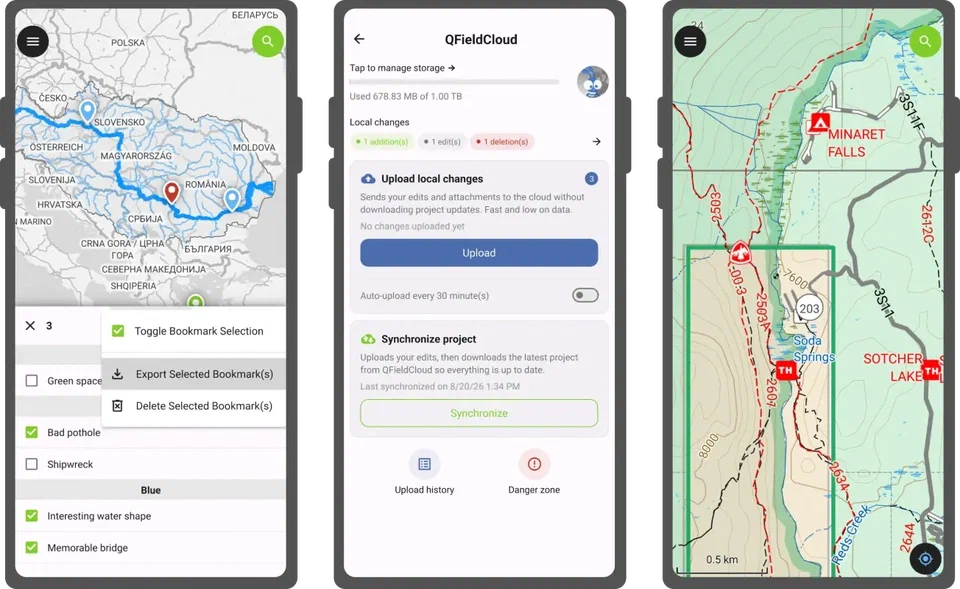
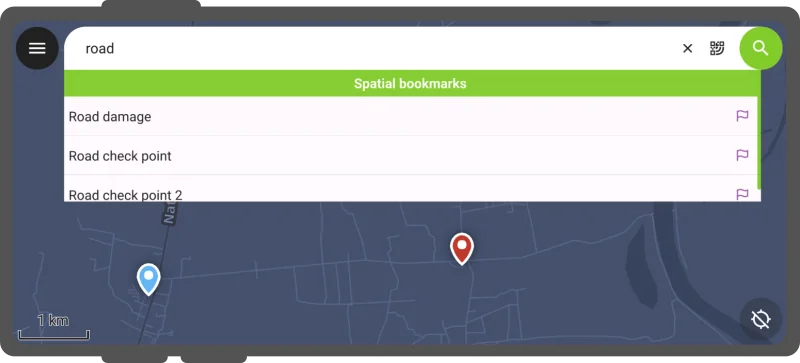
QField 4.3 版本正式登场,代号 "Danube"。在这个许多人享受假期的季节,开发团队选择专注于提升这款外业测绘工具的稳定性与细节打磨,并将这项努力命名为"稳定性之夏"——一个今后每年都将进行的冲刺计划。当然,除了稳定性,本次更新还带来了大量值得关注的改进。 首先,全新的书签管理器让空间书签体验更加完整。用户可以通过仪表盘主菜单访问管理器,以完整列表形式浏览书签,点击名称即可快速跳转到对应位置,并编辑其属性。更重要的是,书签现在可以导出为 GeoPackage,这意味着通过空间书签采集的数据不再被锁定在设备中。如果书签不再需要,管理器还支持批量删除。此外,搜索栏结果中新增了"导航到书签"操作,进一步提升了书签的实用性。
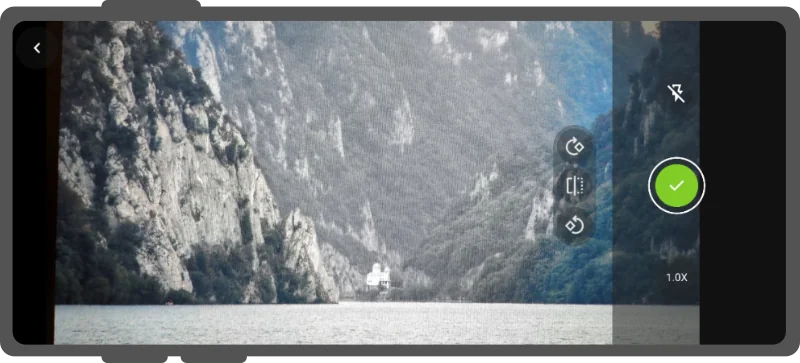
相机功能是本次精雕细琢的重点之一。新版本增加了逻辑判断,确保拍摄照片的旋转方向符合预期;当设备角度过于复杂导致自动处理失效时,用户可以在预览时手动旋转和翻转照片。同时,团队还改进了相机稳定性,防止自动对焦和自动白平衡在硬件或操作系统出现问题时冻结进程。图像水印功能也得到增强,现在可以将所在图层和要素的详细信息写入图像,这一改进响应了社区论坛和创意平台上多次提出的需求。
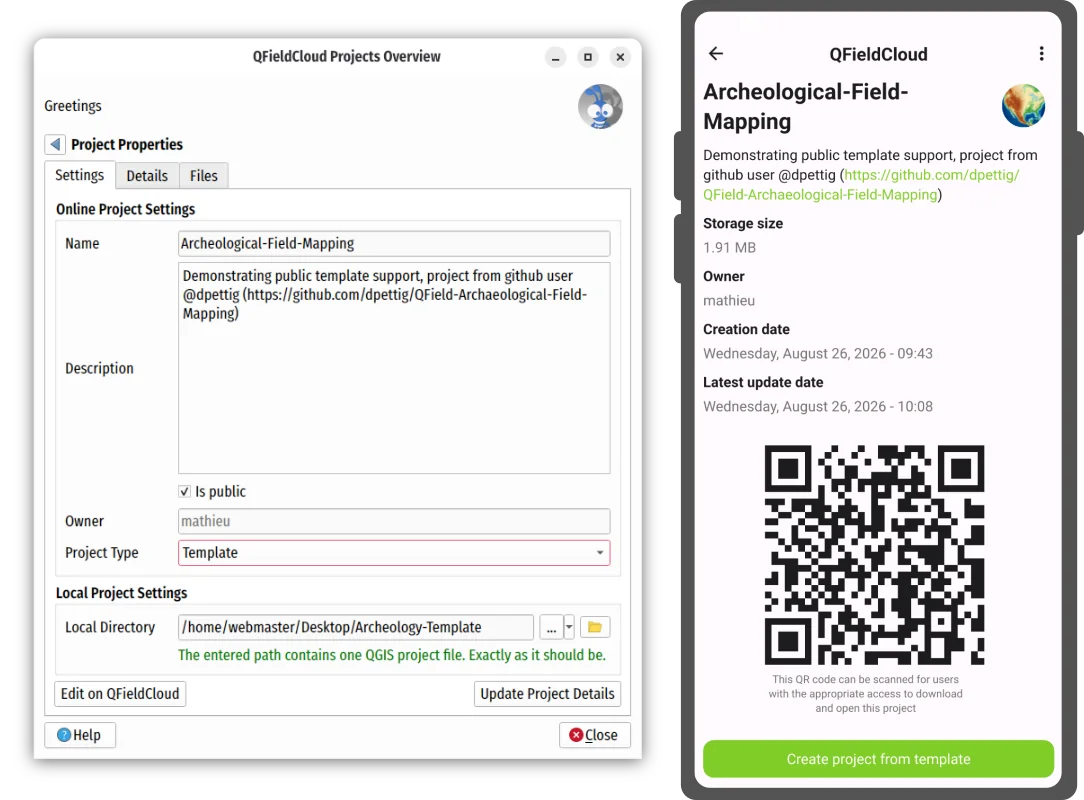
借助 QFieldCloud 的最新能力,QField 4.3 引入了在外业现场创建项目的新方式:项目模板。在 QFieldCloud 中设置项目时,用户可以将其标记为模板。这一新类型允许用户通过 QField 本身在外业基于模板创建新项目。当模板在组织内部共享时,所有成员都能访问,极为便利;而当模板公开后,它们便成为更广泛社区的宝贵共享资源。 云项目面板也经历了进化式改进。新版本用更易懂的"上传"和"丢弃"替代了"push"和"revert"等术语,重新排列了交互元素以确保最重要的操作——上传更改——最为醒目。QField 会在用户即将结束测绘会话时主动提醒待处理的本地更改。为避免意外数据丢失,丢弃本地更改的操作被移至新的"危险区域"子面板。此外,云项目控制面板现在提供本地更改的摘要和详细视图,用户可以在上传同步到 QFieldCloud 之前审查要素的添加、编辑和删除。
本次开发周期的核心目标之一是改进既有功能。二维码扫描器现在可以从设备图库中选择的图片里捕获二维码,随着二维码数字化分享越来越普遍,用户再也不用为了扫描二维码而请朋友发送图片了。在要素表单方面,值关系编辑器部件现在支持无重音搜索,加快数据录入速度;关系编辑器部件会遵循项目设置中定义的排序顺序;图库编辑器的所选模式——缩略图或列表——将被记住。 "稳定性之夏"的成果如何衡量?团队使用匿名指标平台上报告的崩溃会话数作为关键指标。冲刺结束时,平台显示崩溃报告大幅下降超过 20%,这证明 QField 变得更加稳定。此外,团队还增加了自动化测试用例,每次提交更改时防止静默回归。新增了 27% 的代码行覆盖此前未测试的 C++ 类和 QML 项,确保稳定性冲刺的影响不会在一夜之间消散。 版本代号 "Danube" 取自欧洲联盟最长的河流——多瑙河。它发源于德国黑森林,流经十个国家和四座首都城市,最终注入黑海,滋养着沿岸的生态系统、农业、能源基础设施和数百万人的生计。然而今年夏天,多瑙河却因创纪录的低水位登上头条,热浪导致二战沉船暴露,匈牙利帕克斯核电站——该国近一半电力的来源,依赖多瑙河水冷却——被迫将除一座外的所有反应堆停机。这条河流的境遇,或许也隐喻着稳定性的珍贵。 QField 4.3 "Danube" 已准备好为你的外业工作带来更稳定、更高效的体验。点击原文链接,查看完整技术细节与更新日志。
编译自 Planet OSGeo,原文链接
原文摘要
QField 4.3 “Danube”: Summer of stability
The next version of QField is here. While this time of the year is a well-deserved holiday period for many, we’ve dedicated ourselves to improving the stability and refining of your favorite field mapping tool. We’re calling this effort the “summer of stability”, a sprint we will undertake on a yearly basis. But there are plenty of improvements to cover, so let’s go over them. First, we’ve introduced . With the manager accessible via the dashboard’s main menu – users will be able to browse their bookmarks as a full list with the ability to quickly jump to a bookmark’s location by tapping its name, as well as edit its properties.a new bookmark manager to make QField’s experience around spatial bookmarking feel more complete Furthermore, users will also be able to , which means the data captured through spatial bookmarks is no longer locked within users’ devices anymore. And, if users’ bookmarks become irrelevant, the manager also allows for .export bookmarks as a geopackagebulk deletion of bookmarks While improving the relevance and usefulness of bookmarks, we added a .“navigate to bookmark” action to the search bar results As mentioned above, this release focused on refinement and polish, and the camera got special attention. We’ve added . When the device angle gets too tricky for that to work, while previewing them. We also improved camera stability by preventing auto-focus and auto-white balance from freezing the process when the hardware or the operating system fails us.logic to ensure that the rotation of snapped photos matches expectationsusers can now manually rotate and flip photos Image stamping has been improved too: it’s now possible to the images will be attached to. This is sure to please many of our users as it was requested more than once across our and .write details on your images coming from the layer and featurescommunity discourseideas platform Leveraging ’s latest capabilities, this new version of QField introduces a .QFieldCloudnew way